Android audio to your Mac.
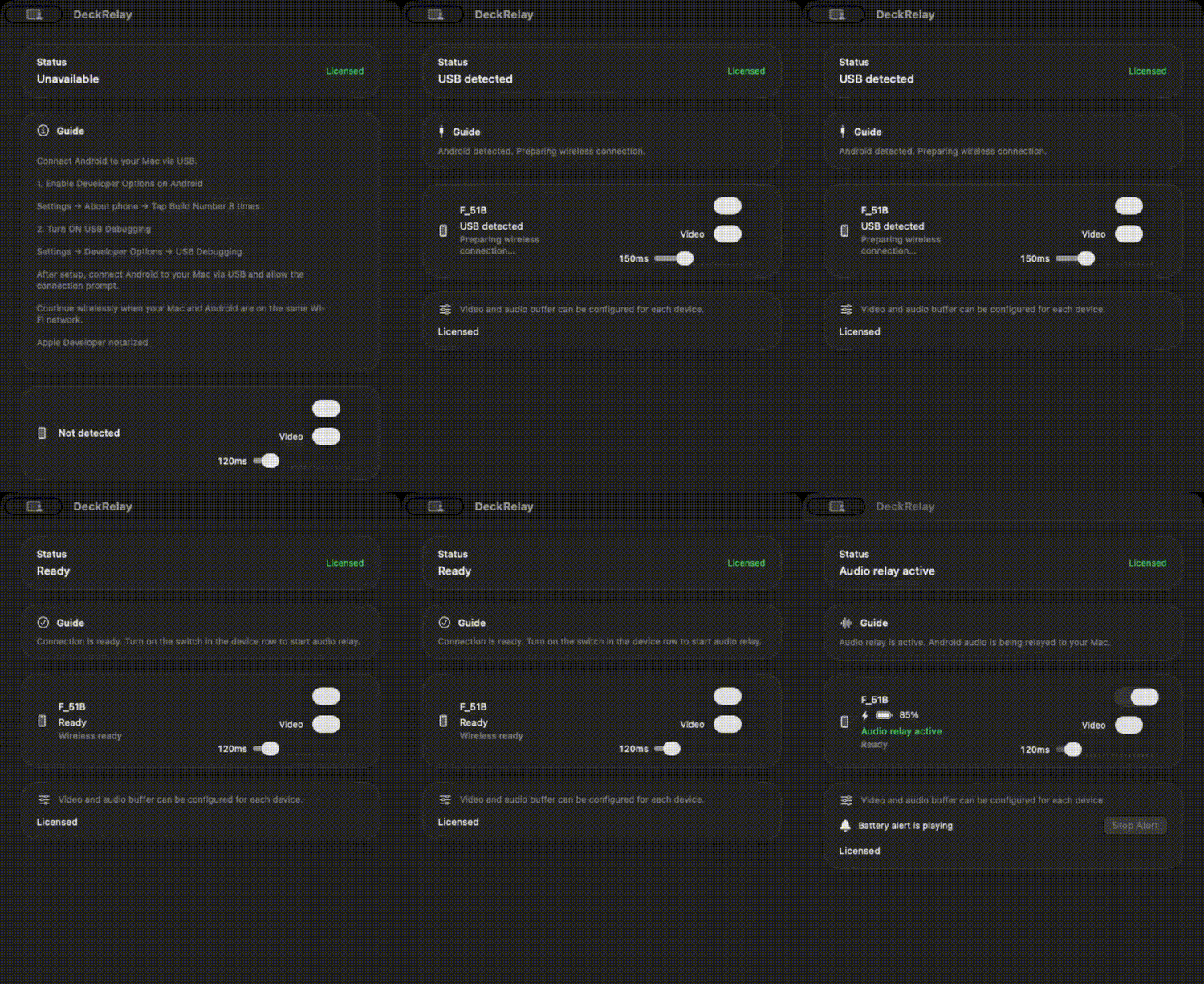
DeckRelay lets you relay Android audio and optional video to your Mac. Local operation. No external server communication.
Try free for 7 days. Purchase only if you like it.
Audio / Video Relay
Relay Android audio and optional video to your Mac.
USB / Wi-Fi
Start with USB, then use it wirelessly.
Battery Alerts
Alerts at 2% and 85% while monitoring connected devices.
Setup
On Android, tap Build Number 7–8 times.
Turn on USB Debugging and Wireless Debugging.
Connect Android to your Mac via USB and it will be detected automatically. After setup, it can continue working wirelessly without USB.
Simple & Local
Runs locally on your Mac. No account. No cloud. Audio relay processing runs on your Mac.
First Launch
On first launch, macOS may show a security confirmation. If so, allow the app from Settings → Privacy & Security.
Support
Updates and support: @testoootest #DeckRelay